Pick’n’Plug
Back to journal

Find your sound.
Make it yours.

A guitar store built around the joy of trying gear. Explore guitars, amps and pedals, hear how they work together, and build your setup.

Explore the storeThe story behind the store

Designed by Adam TerryResearch · UX/UI · Brand identity · Front-end prototype

E-commerce course project2026 · Desktop & mobile

Specs describe the gear.
Listening connects it.

Buying equipment online means imagining how a guitar, amp and pedals will sound together. Pick’n’Plug brings exploration into the shopping journey.

What should stay constant when the gear changes?

Questionnaires with six people explored how players choose equipment. One student could hear the difference, but could not isolate its cause.

The design response: keep the notes steady, change one component, and explain what changed.

“I hear a clear difference between two guitars. I just often can’t tell if it comes from the guitar, the pedals, the amp, or the player’s own fingers.”

A 14-year-old student
Questionnaire response, translated from Hebrew
Meet the playersResearch, a shopping scenario and reference products

Listening, before terminology.

Three experienced players and three students aged 14–18 answered questionnaires. All three students reported hearing differences and caring about sound.

A follow-up with one experienced player, a guitar teacher, added another perspective on learning.

A focused starting point.

All participants were male, and the students came through one teacher. This exploratory sample informed the concept; it does not represent every shopper or validate the interface.

Noam wants his first electric setup.

He knows the artists he loves, but needs help connecting that sound to equipment. His parents are involved in the purchase. Clear contents and a visible total matter to both.

Composite persona from two student responses. Name and age are fictional. This scenario guides a flow within the store; it does not define the store’s entire audience.

What the reference products made possible

Thomann Stompenberg FX
Listen to real effects pedals in a browser.
Fender Tone
Manage compatible connected amplifiers.
BandLab Studio
Process guitar sound within a music-making environment.

The opportunity explored here connects listening, a plain-language explanation and a store’s buying path.

Desk review of product documentation; not a claim of a unique market capability.
A store you can
get your hands on.

Search by sound, explore a setup, then choose what comes home. Each step connects a design decision to the product.

  1. Find a sound
  2. Try a setup
  3. Choose your gear

From an artist
to a starting rig.

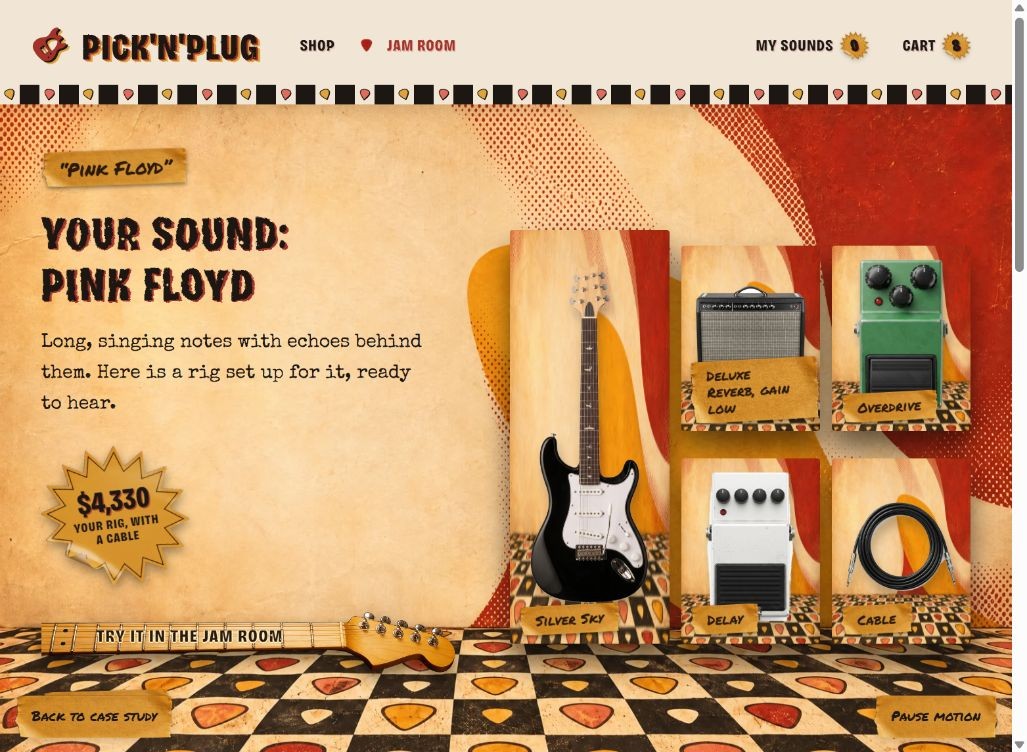
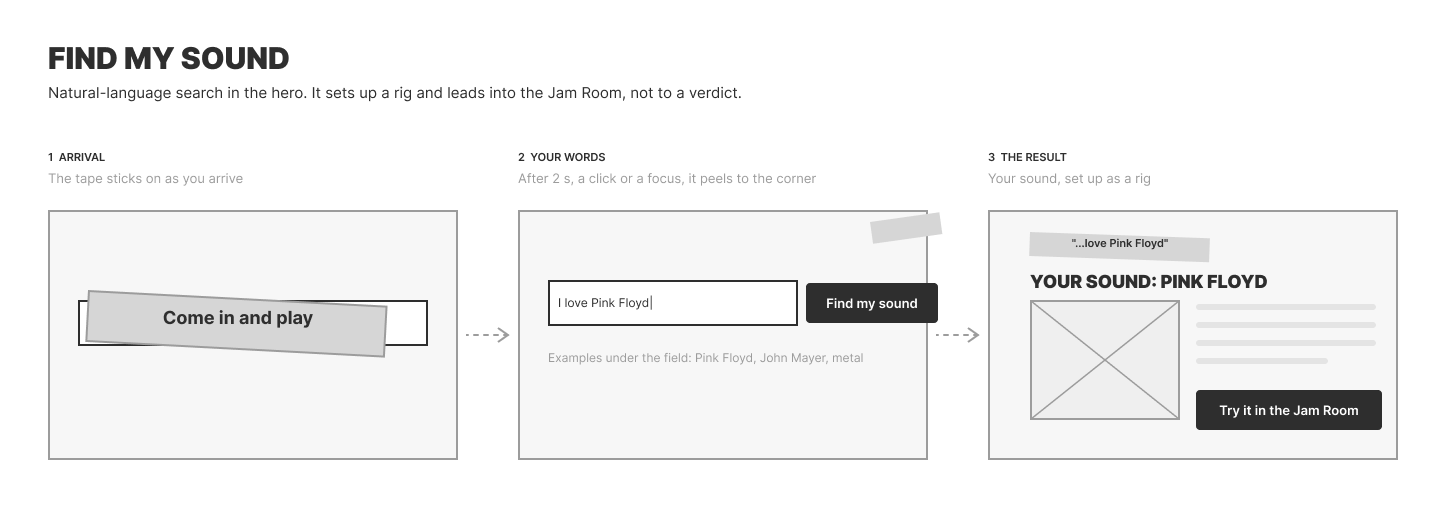
A shopper may know the music before the terminology. Search accepts an artist or sound and explains the components of a suggested setup.

The working prototype uses keyword rules.

Try the sound finder
Sound finder result
A suggested guitar, amp and pedals, with a reason for each.Enlarge

Same notes.
Different possibilities.

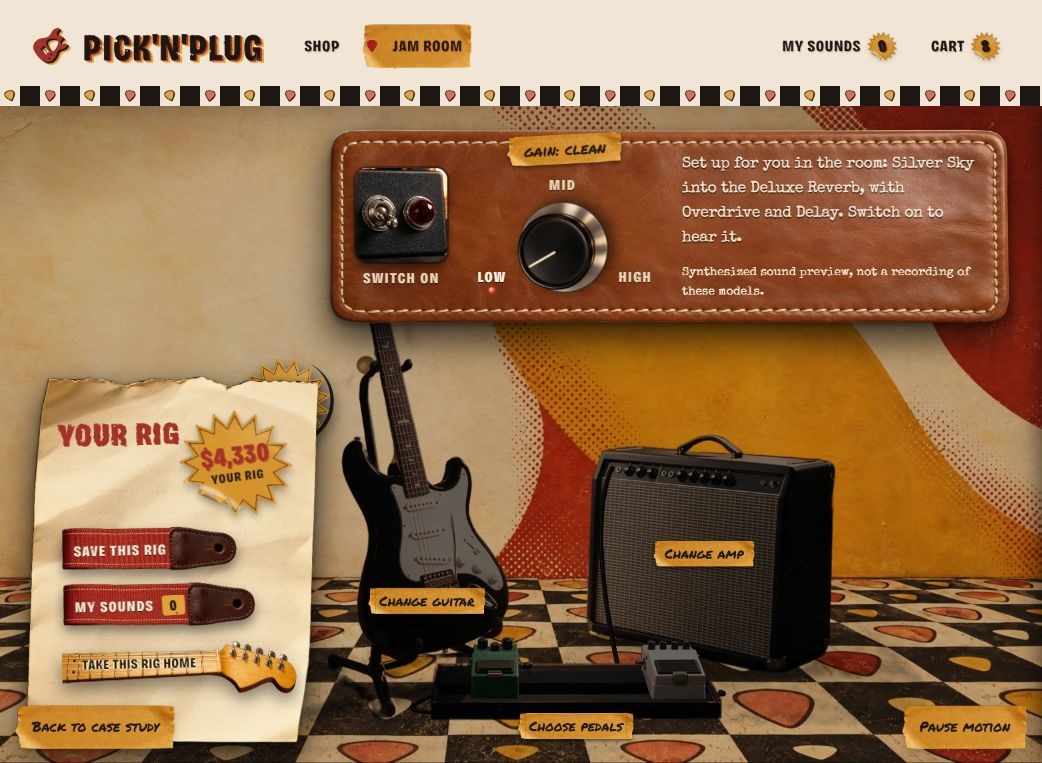
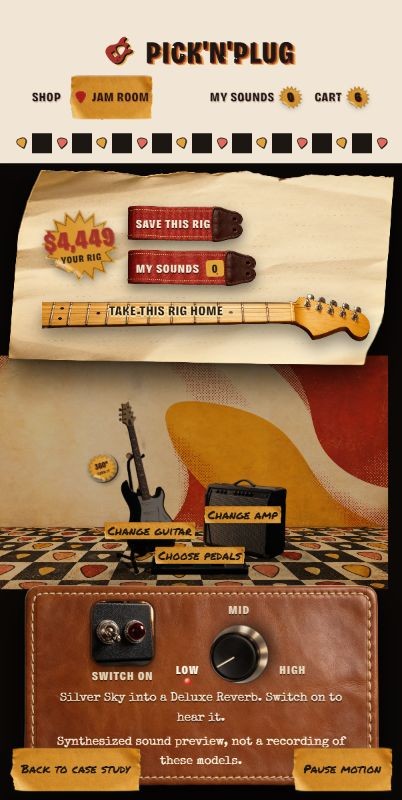
The Jam Room holds the loop steady. Select a guitar, amp or pedal, change one component and read what changed. Save a rig to return to it.

Direct equipment selection replaced abstract A/B controls during design review.

Enter the Jam Room
Current Jam Room
Equipment, listening controls and feedback share one room.Enlarge

Only what
you’re missing.

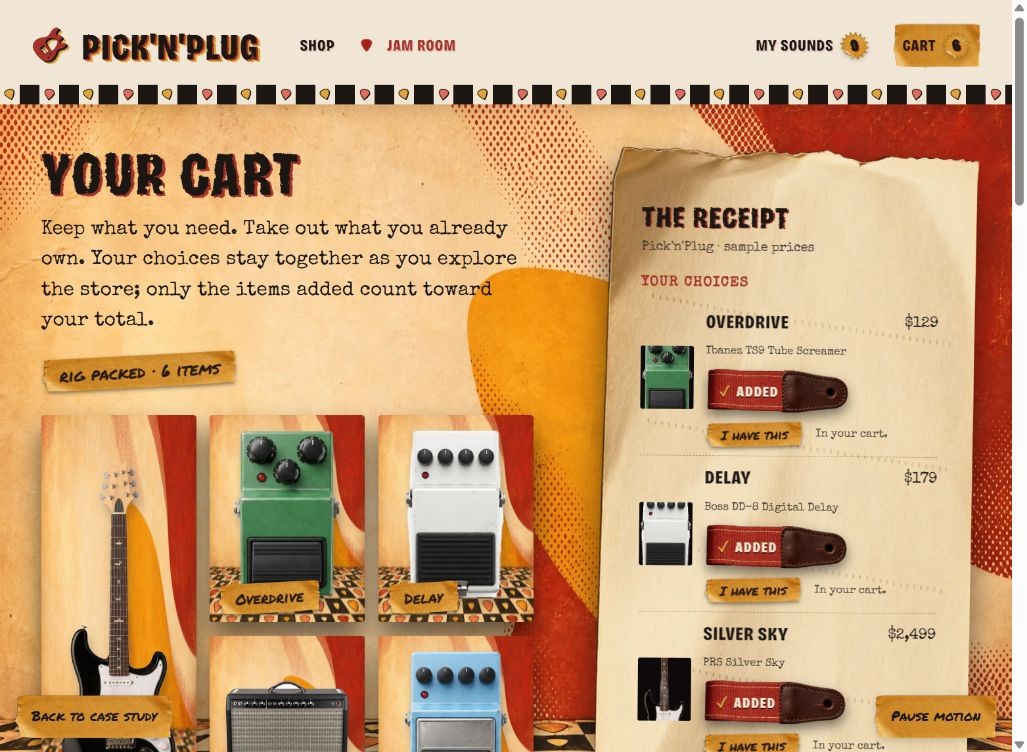
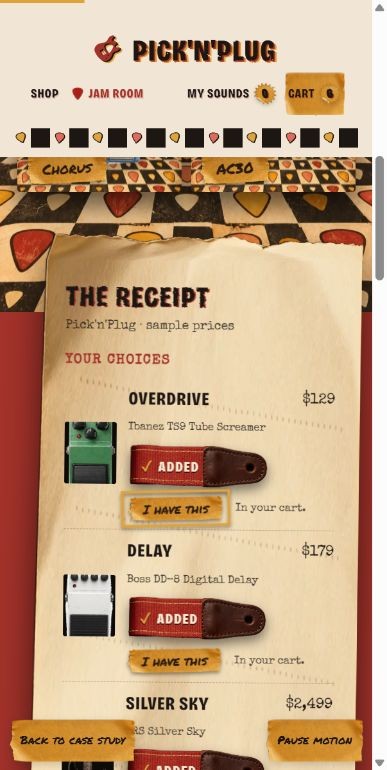
The selected rig carries into a shared cart. Mark gear you already own to remove it from the purchase and update the total. Extras remain optional.

Explore the cart
Shared shopping cart
One clear receipt connects the sound to the purchase.Enlarge

There’s room to browse, too.

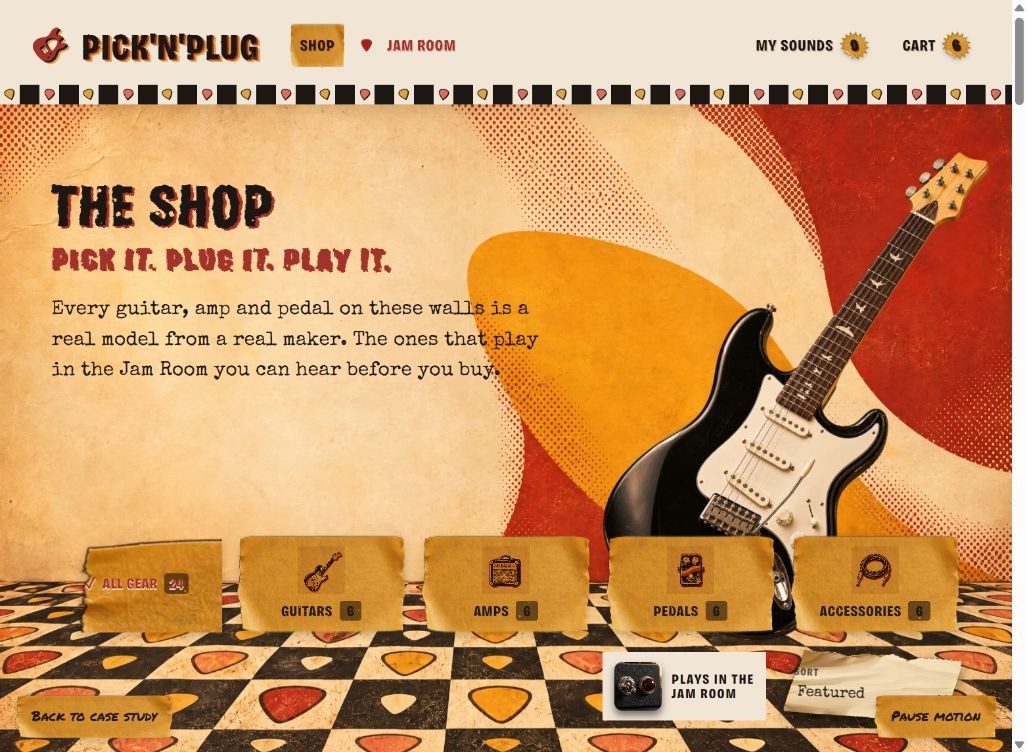
The catalogue and product pages keep a direct route back to listening. Search is an invitation, not a compulsory funnel.

Shop catalogue
Browse the full catalogue and see which models are playable.Enlarge
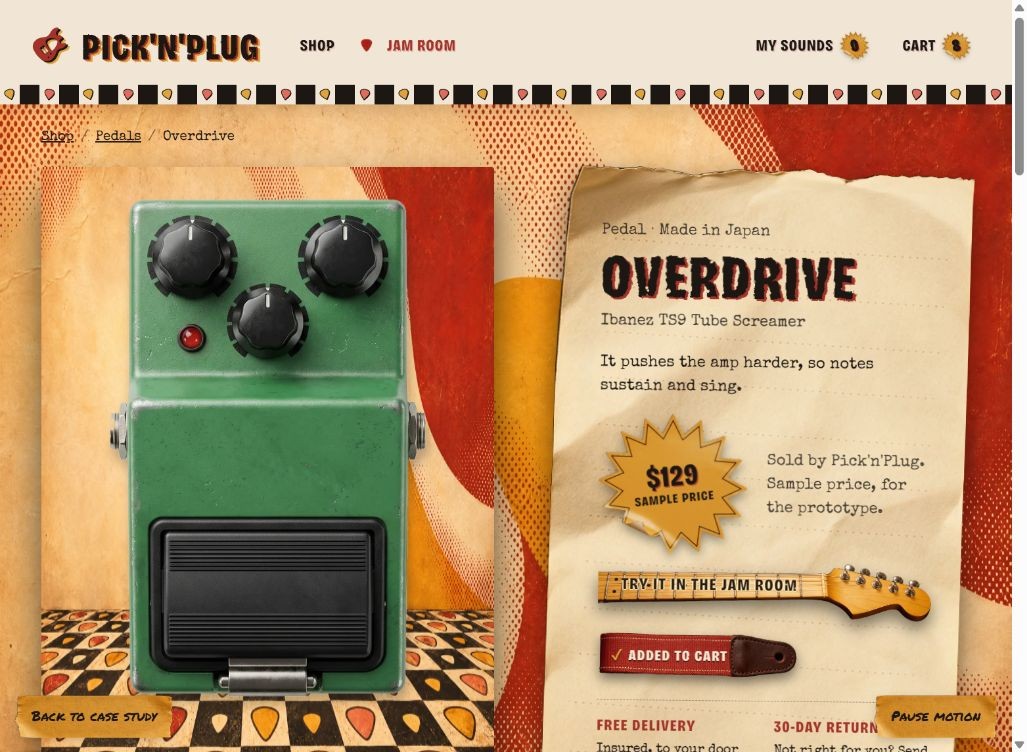
Pedal product page
See the details, then hear the model in a setup.Enlarge
How the journey is connectedFirst-use guidance, site map and search wireframes

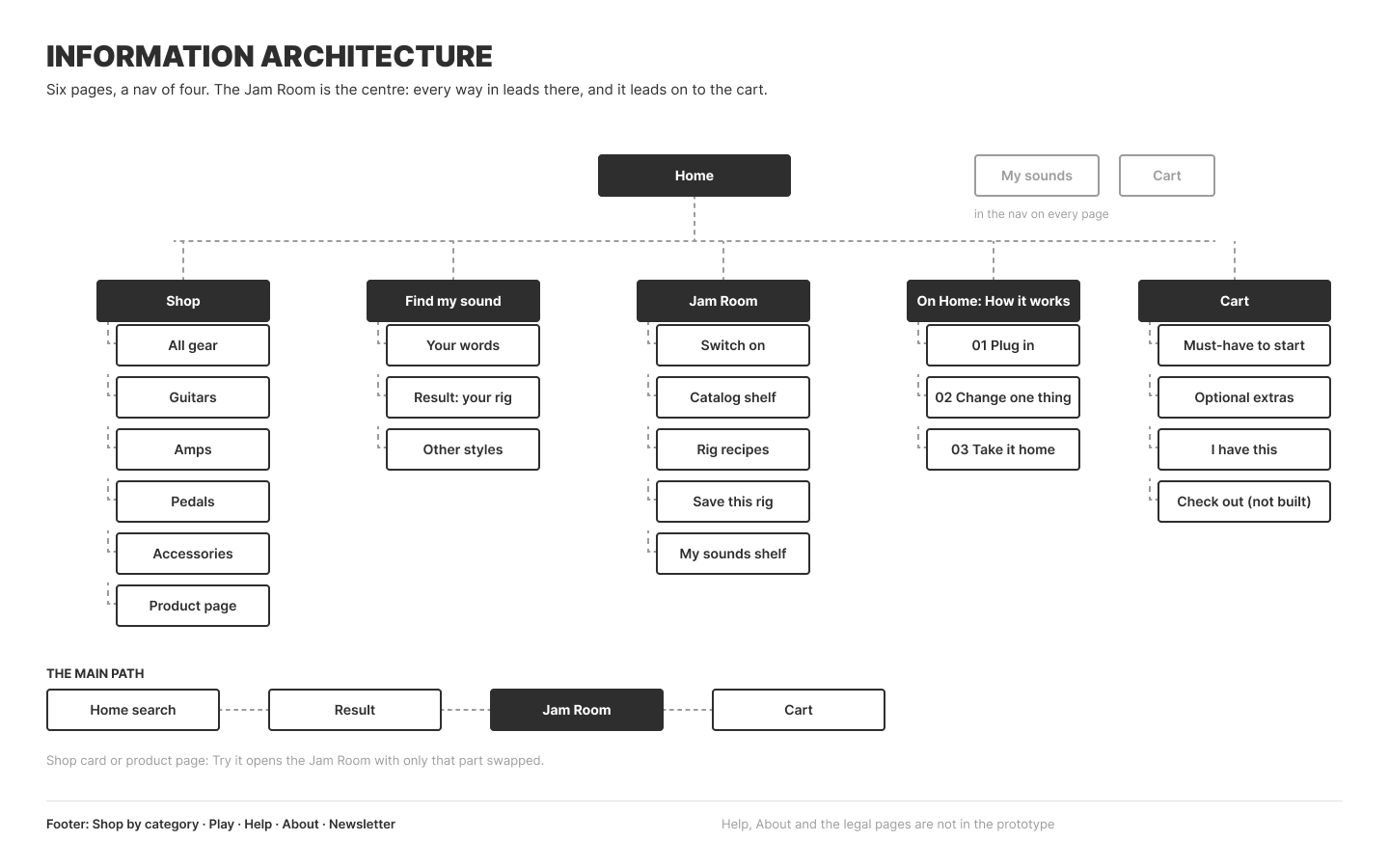
The first-use path starts with a familiar artist or sound. A suggested setup opens in the Jam Room, where direct equipment selection replaces abstract comparison controls.

Original sitemap: home, shop, search, Jam Room and cart
Original sitemap from the Figma working file.
Three search wireframe states
Retrospective wireframes explaining the search interaction.

The whole store.
In your hand.

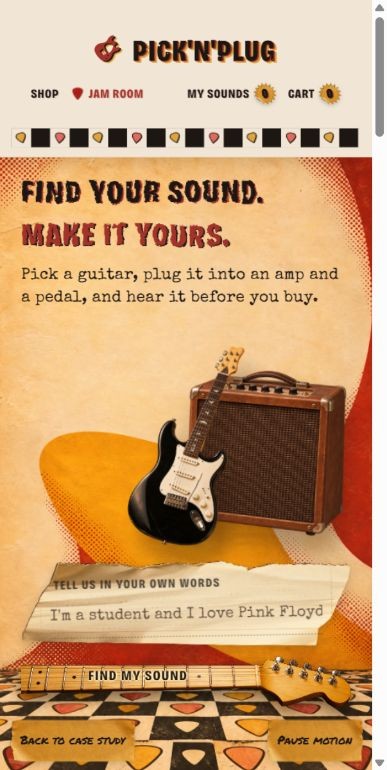
The same path on a smaller screen: a starting sound, a room to experiment, and a receipt that stays clear.

A music-first invitation into the store.

Find your starting point

A music-first invitation into the store.

Enlarge screen
Equipment and sound controls stay together.

Try the setup

Equipment and sound controls stay together.

Enlarge screen
See what is included and what you already own.

Review your gear

See what is included and what you already own.

Enlarge screen

A little garage.
A lot of character.

Worn gig posters, warm rehearsal rooms and tactile controls. The identity turns an online store into a place you want to spend time in.

Pick’n’Plug gig-poster brand application
Pick’n’Plug horizontal logo
Standalone guitar and pick brand mark

Full signature and standalone mark.
The guitar and pick become one.

Objects become interactions.

A maple neck invites the next step. A woven strap carries an action. Tape labels explain a choice. Their texture belongs to the same room as the instruments.

Woven cherry guitar strap used for actionsMaple neck used for the primary actionChange one thing. Listen.

A warm, loud palette.

Cherry#A3322A
Espresso#1D1714
Cream#F1E6D6
Amber#E0A33A

Character, with room to read.

Turn it up.

Bricolage Grotesque: worn flyer lettering, offset ink and a condensed silhouette.

Your rig. Your receipt.

Special Elite: typewriter voice for the story and printed details.

No strings attached.

Permanent Marker: handwritten notes.

Icons with a job to do.

The same illustrations help shoppers choose a category and read a product’s specifications.

Find the right shelf.

Four category illustrations sit in the shop filters. Select one to see it working in the catalogue.

Read the gear.

Specification icons sit beside the details on guitar and amp product pages. Every icon has a text label.

Body woodBody and neck materials
PickupsPickup type and configuration
NeckFretboard, frets and scale
WeightWeight in kilograms
SpeakerSpeaker size and model
Power (W)Amplifier power in watts
Amplifier tubesTube models and count, when fitted
See the guitar specifications · See the amp specifications

From the store
to the doorstep.

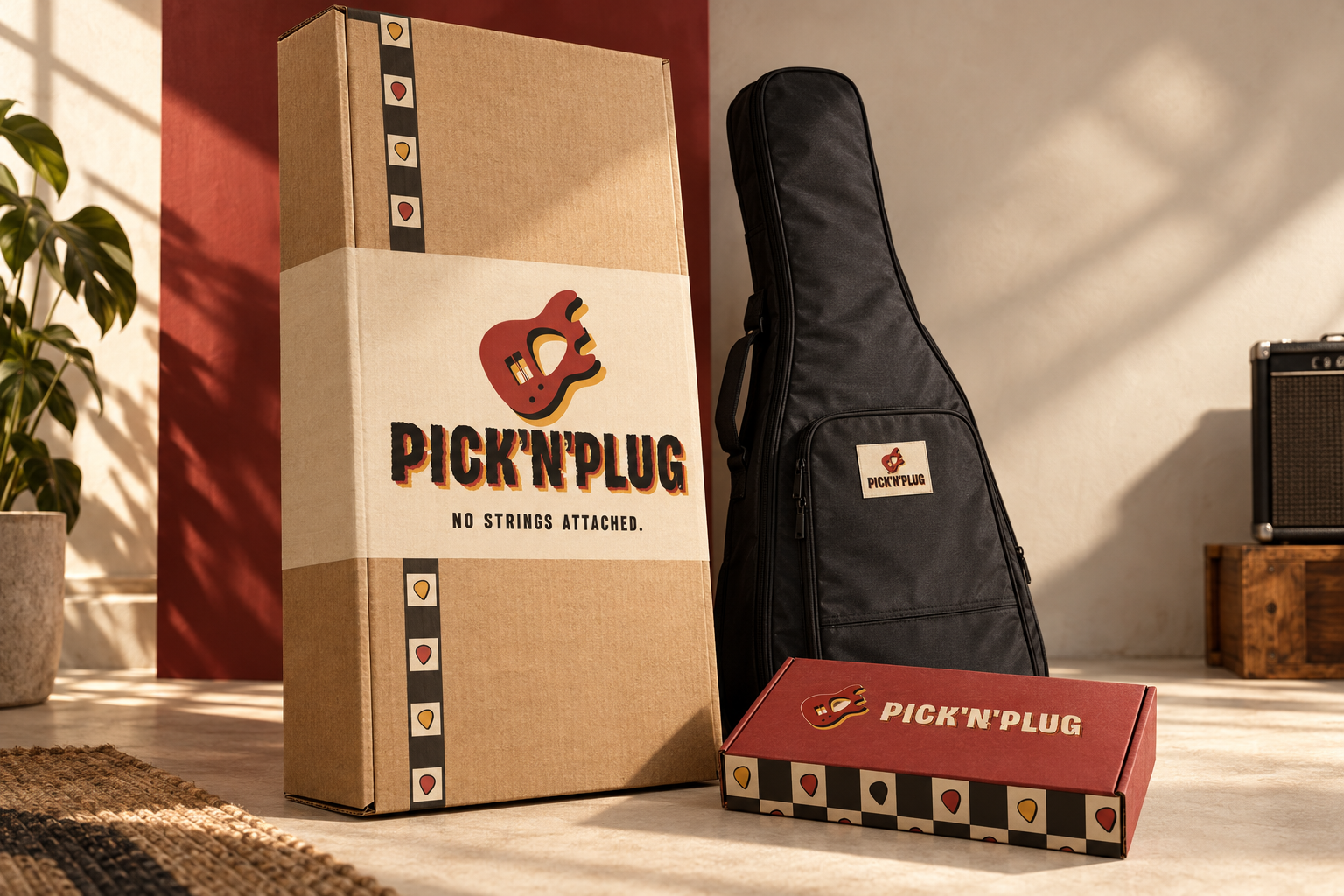
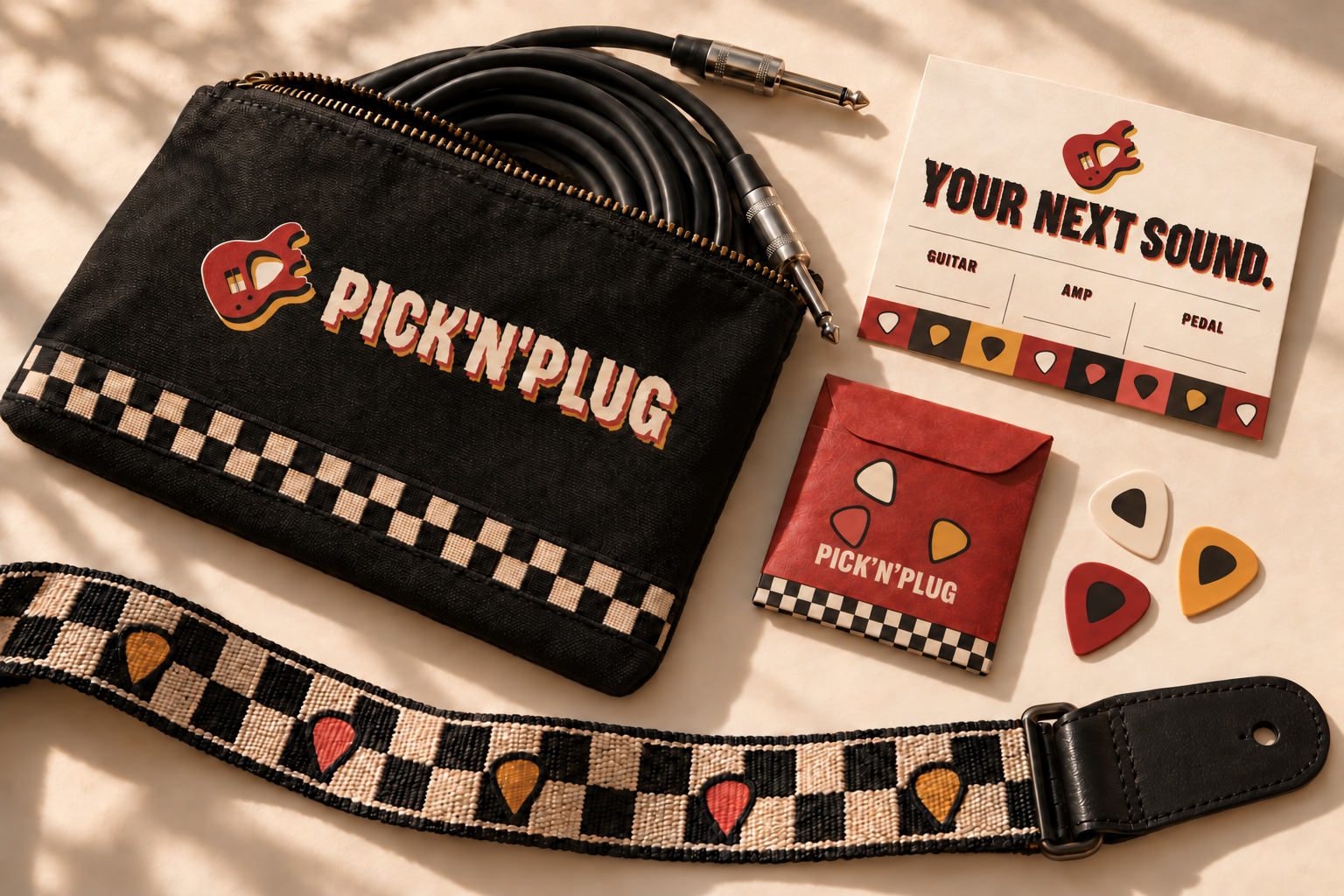
Checkerboards, picks and the wordmark carry across packaging and accessories. These are concept applications of the same identity.

Guitar shipping carton and gig bag concept
Shipping carton & gig bag
Branded accessories packaging concept
Accessories & printed matter

The atmosphere
is part of the experience.

The current store screens, and the gig-poster identity in motion. Choose a film and press play to begin.

Current store screens · prototype overview

Now, plug in.

Switch on, select an amp and change its gain. Hear the same loop through a different setup.

Interactive prototype with synthesized sound and illustrative prices.

Open the full store
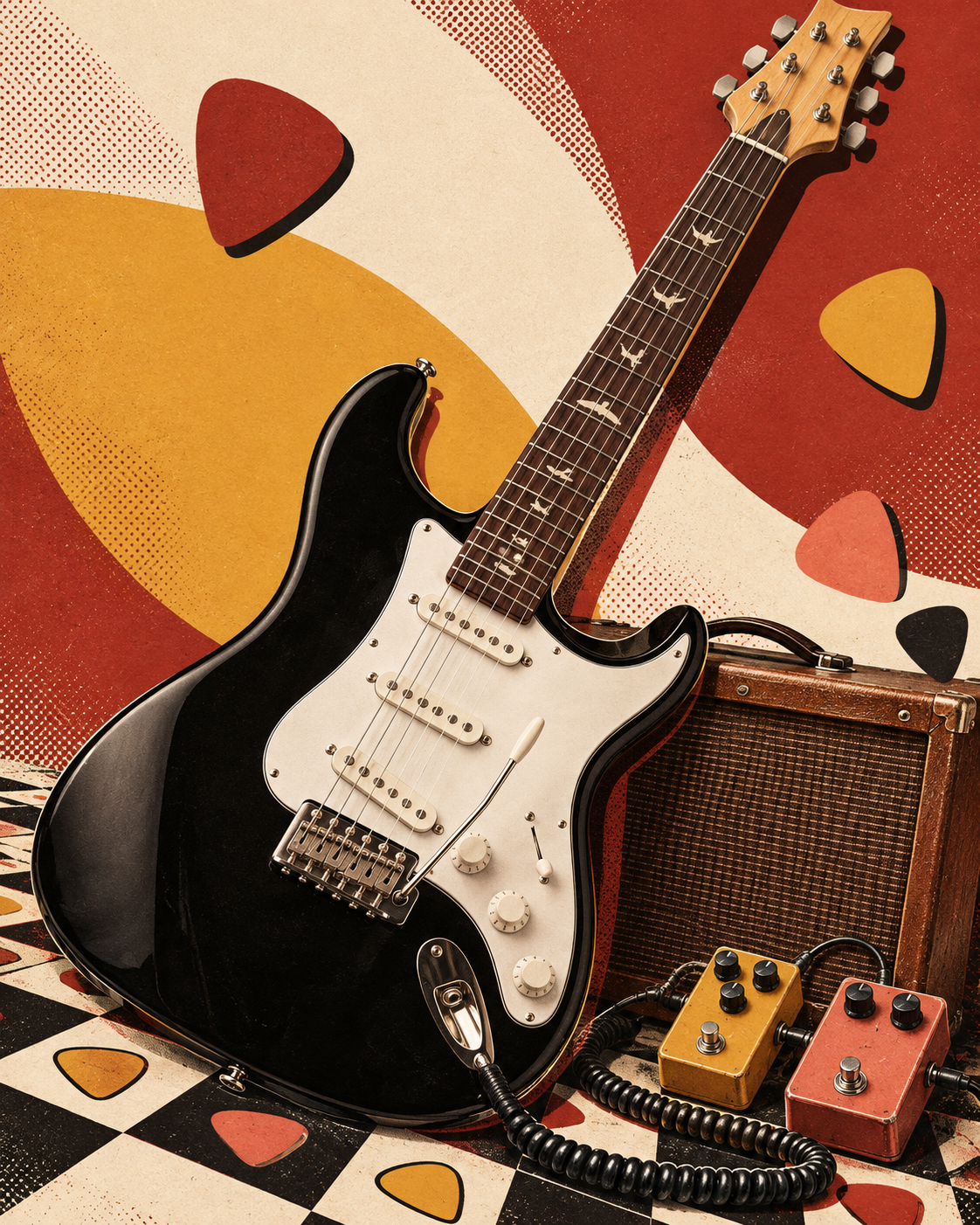
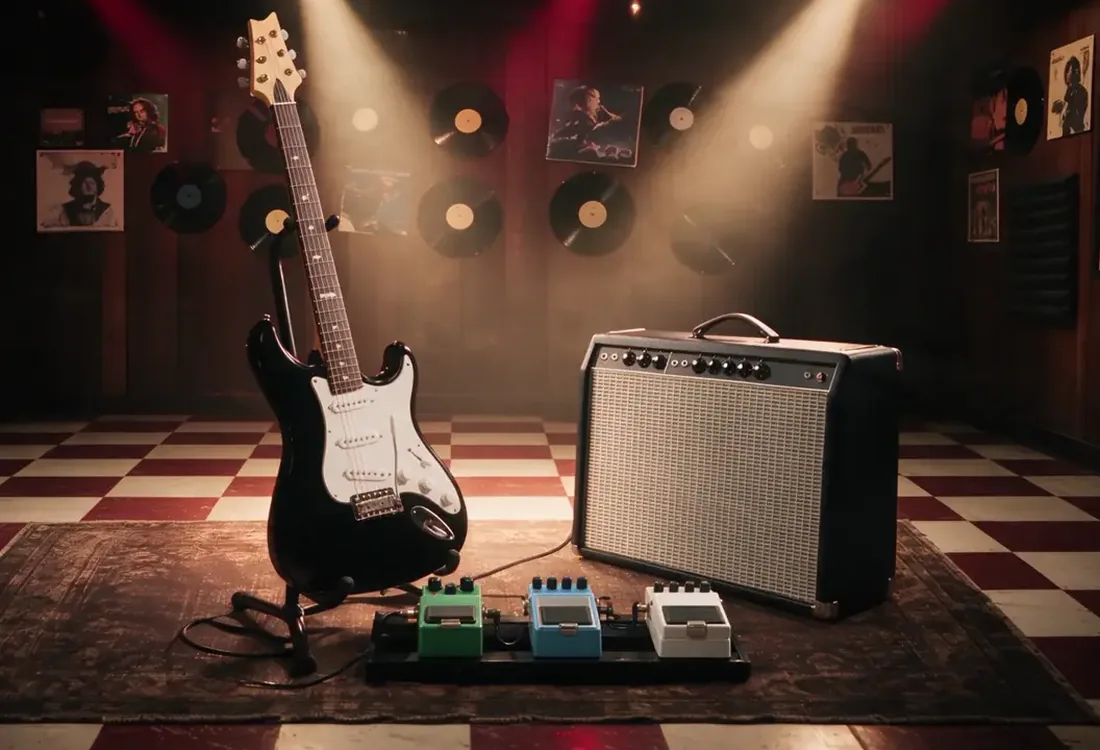
Guitar, amplifier and effects in the realistic Jam Room

A working store concept.
A clear next question.

Six connected pages bring discovery, listening and shopping together. I designed the research, identity, interface and front-end prototype as one experience.

The next step is to test whether shoppers can explain what changed and choose the equipment they need. Real-device audio and verified product data also need validation; checkout is not implemented.